Android SDK
Open the assistant
Show Cartesian as an adaptive panel over your app, from a button, a search bar or any code you write.
The panel host
Wrap the screen the assistant should open over in CartesianPanelHost. It decides how to present the assistant on the current device, and you control it through a CartesianPanelState.
FreshMart
Delivering to Home · 94107 · in 45 min
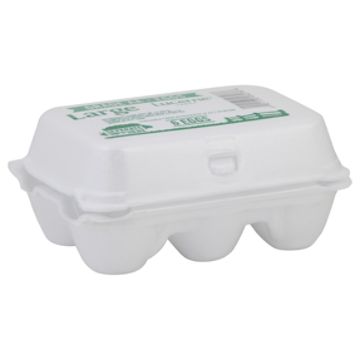
Lucerne Farms Eggs Large
$1.29
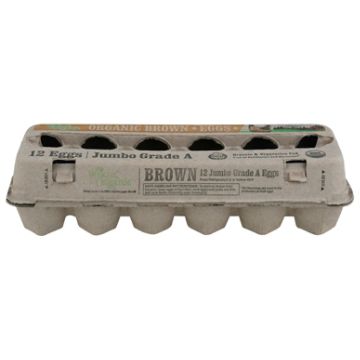
Wilcox Family Farm Organic Brown Eggs
$1.29
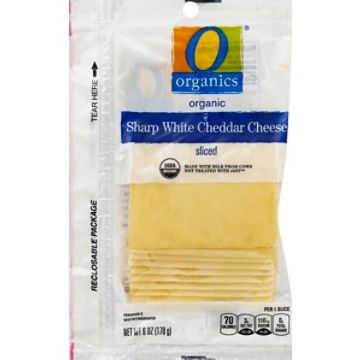
O Organics Sharp Cheddar Sliced
$2.99

Horizon Organic String Cheese
$5.99
What's on your grocery list?
Tell me what you're cooking or who you're feeding. I'll find the products, compare prices, plan meals around your diet and allergies, and fill your cart.
FreshMart Assistant can make mistakes. Please check prices and ingredients before you buy.

val assistant = rememberCartesianPanelState()

CartesianPanelHost(assistant) {
    YourScreen(onAskClicked = { assistant.open() })
}Adaptive layouts
With layout = PanelLayout.Auto (the default), the host picks a presentation from the space available:
| Window | Layout | Behaviour |
|---|---|---|
| Width < 600dp, height ≥ 480dp | BottomSheet | Slides up and opens full height. Drag the handle down to half height or to dismiss. |
| Height < 480dp (phone landscape) | FullScreen | Covers the screen. |
| 600–1200dp wide (tablets, unfolded foldables) | SidePanel | Docks on the right. Your content stays visible and usable. |
| ≥ 1200dp wide (desktop windows, Chromebooks) | Floating | A floating card in the corner. |
The layout is checked again when the window changes, for example when a foldable is unfolded, so it is always right for the current posture. To force a layout, pass layout = PanelLayout.BottomSheet.
Sheet behaviour
- The sheet opens at
SheetDetent.Fullby default. Useopen(detent = SheetDetent.Half)to start at half height. - At full height the conversation scrolls on its own and never drags the sheet. At half height, scrolling up expands the sheet first. Only the grab handle drags the sheet down.
- System Back closes the panel. If a cart drawer is open inside it, Back closes the drawer first.
CartesianPanelState
assistant.open()                                   // open full height
assistant.open(prompt = "Gluten-free pasta under $5") // open and send a question
assistant.open(detent = SheetDetent.Half)
assistant.expand()                                 // half → full
assistant.hide()

assistant.isVisible   // Boolean, observable
assistant.layout      // the resolved PanelLayout
assistant.detent // Hidden | Half | FullReady-made triggers
Ask button
A floating action button that hides itself while the panel is open and comes back when it closes.
val listState = rememberLazyListState()
val scrolling by remember { derivedStateOf { listState.firstVisibleItemIndex > 0 } }

CartesianAskButton(
    state = assistant,
    modifier = Modifier.align(Alignment.BottomEnd).padding(20.dp),
    expanded = !scrolling,           // collapses to an icon while the shopper scrolls
    label = "Ask FreshMart",
    prompt = null,                   // or a question to send straight away
)You can pass your own icon (a Painter), containerColor and contentColor, or a visible condition that combines with your own logic.
Ask bar
A search-style field. What the shopper types is sent as the first question.
CartesianAskBar(assistant, Modifier.fillMaxWidth(), placeholder = "Ask about any product")Your own trigger
Anything can call open, for example a promo banner, a product page action or a menu item:
PromoBanner(onClick = { assistant.open("Plan a week of dinners under $60") })
ProductTile(product, onAsk = { assistant.open("Is ${product.name} good for kids?") })From outside Compose
Cartesian.present starts a translucent Activity with the same adaptive panel. Use it from Views, Fragments, notifications or deep-link handlers:
Cartesian.present(context)
Cartesian.present(context, prompt = "Reorder my usual groceries")
Cartesian.present(context, layout = PanelLayout.FullScreen)The Activity finishes itself when the panel is dismissed.