Get started
Quickstart
Add the Cartesian assistant to your Android, iOS or React app, sign a shopper in and open the assistant from a button.
At the end of this guide your app will have a floating Ask button that opens the Cartesian assistant: a bottom sheet on phones, a side panel on tablets.
FreshMart
Delivering to Home · 94107 · in 45 min
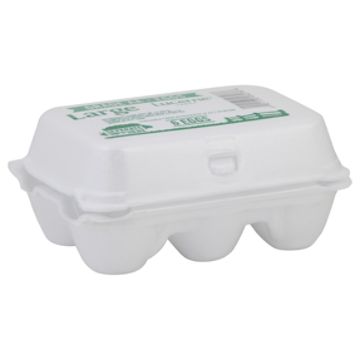
Lucerne Farms Eggs Large
$1.29

Wilcox Family Farm Organic Brown Eggs
$1.29

O Organics Sharp Cheddar Sliced
$2.99

Horizon Organic String Cheese
$5.99
What's on your grocery list?
Tell me what you're cooking or who you're feeding. I'll find the products, compare prices, plan meals around your diet and allergies, and fill your cart.
FreshMart Assistant can make mistakes. Please check prices and ingredients before you buy.

Before you begin
- The URL of your Cartesian backend, for example
https://cartesian.yourcompany.com. See Your Cartesian backend. - A way for your app to get a Cartesian session token for the signed-in shopper. See Sessions and tokens.
- Your platform:
| Platform | Minimum |
|---|---|
| Android | minSdk 24, Jetpack Compose (BOM 2026.06+) |
| iOS | iOS 16, Swift 5.9 (Xcode 15+), SwiftUI or UIKit |
| Web | React 18.2 or 19 |
Set up the SDK
Add the dependency
dependencies {
    implementation("ai.cogitx.cartesian:cartesian-ui:0.1.0")
}
cartesian-ui brings in cartesian-core and its own manifest permissions (INTERNET, ACCESS_NETWORK_STATE, RECORD_AUDIO for voice).
Initialize in your Application
class App : Application() {
    override fun onCreate() {
        super.onCreate()
        Cartesian.initialize(
            this,
            CartesianConfig.builder(Vertical.Grocery, "https://cartesian.yourcompany.com").build(),
            CartesianOptions.Builder().title("FreshMart Assistant").build(),
        )
    }
}
Sign the shopper in
lifecycleScope.launch { Cartesian.client.signIn(sessionToken) }The token is saved in the app's private preferences and restored on the next launch.
Wrap your screen and add a button
setContent {
    val assistant = rememberCartesianPanelState()
    CartesianPanelHost(assistant) {
        Box(Modifier.fillMaxSize()) {
            HomeScreen()
            CartesianAskButton(assistant, Modifier.align(Alignment.BottomEnd).padding(20.dp))
        }
    }
}
Full guide: Android SDK.
Add the package
In Xcode, choose File → Add Package Dependencies, enter https://github.com/CogitX/cartesian-ios, and add the CartesianUI product to your app target. Until the first release, add sdk/ios from the Cartesian repo as a local package. Add NSMicrophoneUsageDescription and NSSpeechRecognitionUsageDescription to Info.plist if you keep voice input on.
Configure at launch
import CartesianUI
import SwiftUI

@main
struct ShopApp: App {
    init() {
        Cartesian.configure(
            CartesianConfig(vertical: .grocery, baseURL: URL(string: "https://cartesian.yourcompany.com")!),
            options: CartesianOptions(title: "FreshMart Assistant")
        )
    }

    var body: some Scene { WindowGroup { HomeView() } }
}
Sign the shopper in
try await Cartesian.client.signIn(sessionToken: token)The token is saved in the Keychain and restored on the next launch.
Add a button
struct HomeView: View {
    @StateObject private var assistant = CartesianPanelState()

    var body: some View {
        ProductsGrid()
            .overlay(alignment: .bottomTrailing) {
                CartesianAskButton(state: assistant).padding(16)
            }
            .cartesianPanel(assistant)
    }
}
Full guide: iOS SDK.
Install the package
npm install @cogitx/cartesian-reactCreate the client
import { CartesianClient } from "@cogitx/cartesian-react";

export const cartesian = new CartesianClient({
  vertical: "grocery",
  baseUrl: "https://cartesian.yourcompany.com",
});
Sign the shopper in
const { token } = await fetch("/me/cartesian-session").then((r) => r.json());
await cartesian.signIn(token);The token is saved in localStorage and checked again on the next page load.
Wrap your app and add a button
import { CartesianProvider, CartesianPanel, CartesianAskButton } from "@cogitx/cartesian-react";
import "@cogitx/cartesian-react/styles.css";
import { cartesian } from "./cartesian";

export function App() {
  return (
    <CartesianProvider client={cartesian} options={{ title: "FreshMart Assistant" }}>
      <Shop />
      <CartesianAskButton style={{ position: "fixed", right: 20, bottom: 20 }} />
      <CartesianPanel />
    </CartesianProvider>
  );
}
The grocery backend only accepts its session cookie, which browsers can't send to another domain. Serve it from your own domain through a proxy until it accepts bearer tokens. See React installation.
Full guide: React SDK.
Tap Ask FreshMart Assistant and try a starter question, such as "Find whole milk and add the cheapest gallon to my cart". That's the whole integration. Everything after this is optional.