Integrate with your app
Offline and voice
How the assistant behaves without a network, and how voice input works.
Offline
The SDK watches the device's network and its own socket separately:
FreshMart
Delivering to Home · 94107 · in 45 min
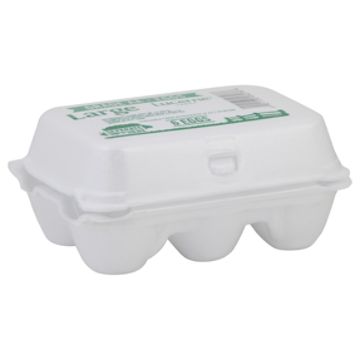
Lucerne Farms Eggs Large
$1.29
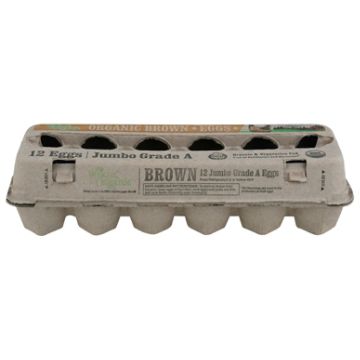
Wilcox Family Farm Organic Brown Eggs
$1.29
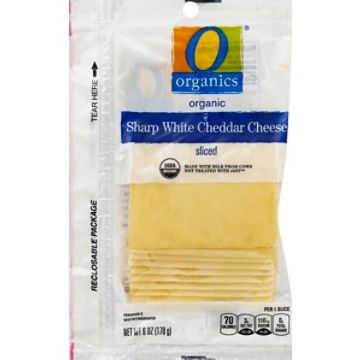
O Organics Sharp Cheddar Sliced
$2.99
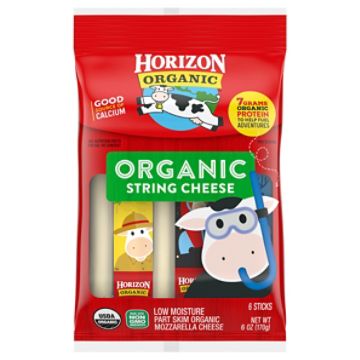
Horizon Organic String Cheese
$5.99
Eggs and cheese for breakfast, add the cheapest eggs
SMHere's a quick breakfast basket. The cheapest eggs are Lucerne Farms Large at $1.29, so I added a carton to your cart.
For cheese, the O Organics sharp cheddar slices are $2.99. If the kids want something to grab, Horizon string cheese is $5.99 for six.
4 results
Lucerne Farms Eggs Large
6 Count · Eggs
$1.29
$0.22/ct
UsualWilcox Family Farm Organic Brown Eggs
12 Count · Eggs
$1.29
$0.11/ct
O Organics Sharp Cheddar Sliced
6 Oz · Cheese
$2.99
$0.50/oz
Horizon Organic String Cheese
6 Count · Cheese
$5.99
$1.00/ct
Added 1 item to your cart
FreshMart Assistant can make mistakes. Please check prices and ingredients before you buy.

FreshMart
Delivering to Home · 94107 · in 45 min
Lucerne Farms Eggs Large
$1.29
Wilcox Family Farm Organic Brown Eggs
$1.29
O Organics Sharp Cheddar Sliced
$2.99
Horizon Organic String Cheese
$5.99
Eggs and cheese for breakfast, add the cheapest eggs
SMHere's a quick breakfast basket. The cheapest eggs are Lucerne Farms Large at $1.29, so I added a carton to your cart.
For cheese, the O Organics sharp cheddar slices are $2.99. If the kids want something to grab, Horizon string cheese is $5.99 for six.
4 results
Lucerne Farms Eggs Large
6 Count · Eggs
$1.29
$0.22/ct
UsualWilcox Family Farm Organic Brown Eggs
12 Count · Eggs
$1.29
$0.11/ct
O Organics Sharp Cheddar Sliced
6 Oz · Cheese
$2.99
$0.50/oz
Horizon Organic String Cheese
6 Count · Cheese
$5.99
$1.00/ct
Added 1 item to your cart
FreshMart Assistant can make mistakes. Please check prices and ingredients before you buy.
Lucerne Farms Eggs Large
$1.29
O Organics Sharp Cheddar Sliced
$2.99
- Device offline: an "Offline" pill appears in the header with a banner under it. The composer is disabled with "You're offline". If the panel was opened with no connection at all, a full offline state is shown with a Try again button.
- Offline mid-answer: the banner reads "Connection lost. Your answer keeps running, and we'll catch up when you're back." The backend keeps working. When the device reconnects, the SDK resumes the thread and fills in the rest of the answer.
- Back online: the socket reconnects straight away, then backs off exponentially if your backend can't be reached.
- Session: being offline never signs the shopper out.
You can replace the offline and connectionStatus slots with your own design, and you can read controller.isDeviceOnline and controller.connection anywhere.
Voice
The microphone button in the composer dictates into the input:
- On first use it asks for
RECORD_AUDIO. - It listens with Android's on-device
SpeechRecognizerand shows partial results as the shopper speaks. While it listens, the listening orb is shown. - If there's no recognition service, or the permission is denied, it falls back to the system voice prompt (
RecognizerIntent).
It uses the device language (Locale.getDefault()). Turn it off with CartesianFeatures.voice(false). Voice is also hidden while the device is offline.
On each platform
| Android | iOS | React | |
|---|---|---|---|
| Network status | ConnectivityManager | NWPathMonitor | navigator.onLine and the socket state |
| Voice | SpeechRecognizer, falling back to the system prompt | Speech framework (SFSpeechRecognizer) | Web Speech API; hidden in browsers without it, such as Firefox |
| Permissions | RECORD_AUDIO (asked on first use) | NSMicrophoneUsageDescription, NSSpeechRecognitionUsageDescription in Info.plist | The browser's microphone prompt |