Integrate with your app
Cart and wishlist
Keep your own cart and checkout. Cartesian sends add, open and checkout actions to your code.
Most partners already have a cart and a checkout, and they should keep them. Set the cart (and the wishlist, if you have one) to FeatureMode.Host. Cartesian then asks your code instead of changing its own cart.
CartesianFeatures.Builder()
    .cart(FeatureMode.Host)
    .wishlist(FeatureMode.Host)   // or Off if you don't have one
.build()CartesianFeatures(cart: .host, wishlist: .host)features: { cart: "host", wishlist: "host" }Handle the actions
Cartesian.listener = object : CartesianListener {
    override fun onAddToCart(product: Product, quantity: Int) {
        myCart.add(product.sku ?: product.id, quantity)
    }
    override fun onOpenCart() = navigator.openCart()
    override fun onToggleSaved(product: Product, saved: Boolean) = myWishlist.set(product.id, saved)
    override fun onOpenWishlist() = navigator.openWishlist()
    override fun onProductSelected(product: Product) = navigator.openProduct(product.id)
}
@MainActor
final class ShopDelegate: CartesianDelegate {
func onAddToCart(_ product: Product, quantity: Int) { MyCart.shared.add(id: product.id, quantity: quantity) }
func onOpenCart() { Router.shared.showCart() }
func onToggleSaved(_ product: Product, saved: Bool) { MyWishlist.shared.set(product.id, saved: saved) }
func onOpenWishlist() { Router.shared.showSaved() }
func onProductSelected(_ product: Product) { Router.shared.showProduct(product.id) }
}
Cartesian.delegate = shopDelegate // weak: keep shopDelegate alive yourselfconst listener: CartesianListener = {
onAddToCart: (product, quantity) => myCart.add(product.sku ?? product.id, quantity),
onOpenCart: () => navigate("/cart"),
onToggleSaved: (product, saved) => myWishlist.set(product.id, saved),
onOpenWishlist: () => navigate("/saved"),
onProductSelected: (product) => navigate(`/p/${product.id}`),
};
<CartesianProvider client={cartesian} listener={listener}>…</CartesianProvider>onAddToCart is called both when the shopper taps Add on a card and when the assistant itself adds items while answering ("add the cheapest gallon to my cart").
FreshMart
Delivering to Home · 94107 · in 45 min
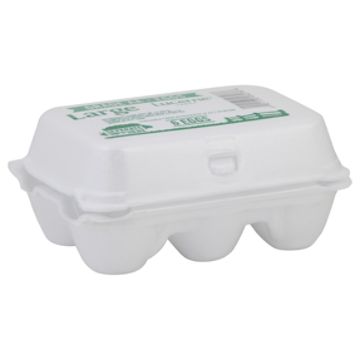
Lucerne Farms Eggs Large
$1.29
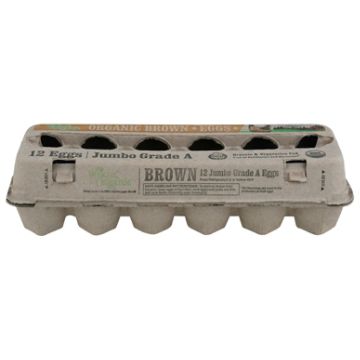
Wilcox Family Farm Organic Brown Eggs
$1.29
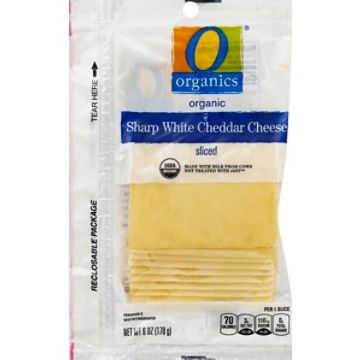
O Organics Sharp Cheddar Sliced
$2.99
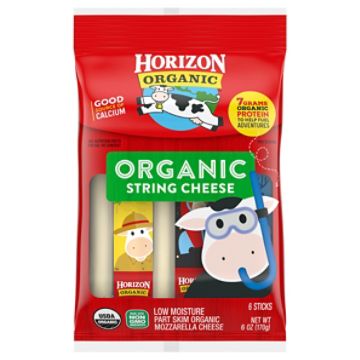
Horizon Organic String Cheese
$5.99
What's on your grocery list?
Tell me what you're cooking or who you're feeding. I'll find the products, compare prices, plan meals around your diet and allergies, and fill your cart.
FreshMart Assistant can make mistakes. Please check prices and ingredients before you buy.

Known issue in the preview: when the assistant adds a product that is already in the backend cart, the backend sets the quantity instead of increasing it, so onAddToCart may not fire for that item. A fix that reads the changed lines from the cart frame is planned before 0.1.0.
Keep the UI in sync
The product cards show quantity steppers and filled hearts. Tell Cartesian what your cart contains so they stay correct:
myCart.lines.collect { lines ->
    Cartesian.host.setCart(lines.associate { it.productId to it.quantity })
}
myWishlist.ids.collect { ids -> Cartesian.host.setSaved(ids) }Cartesian.host.setCart(MyCart.shared.quantities) // [productId: quantity]
Cartesian.host.setSaved(MyWishlist.shared.ids) // Set<String>const host = useMemo(() => new CartesianHostState(), []);
useEffect(() => host.setCart(quantitiesById), [quantitiesById]);
useEffect(() => host.setSaved(savedIds), [savedIds]);
<CartesianProvider client={cartesian} host={host}>…</CartesianProvider>The header counts and the in-card quantities read from these values in Host mode.
Checkout with the built-in cart
If you use FeatureMode.BuiltIn for the cart, the drawer's Checkout button calls onCheckout. Return true when you've taken over, for example by navigating to your checkout. Return false (the default) and the shopper sees "Checkout isn't connected in this app yet."
override fun onCheckout(cart: Cart): Boolean {
    navigator.checkout(cart.lines.map { it.product.id to it.quantity })
    return true
}
func onCheckout(_ cart: Cart) -> Bool {
Router.shared.checkout(cart.lines.map { ($0.product.id, $0.quantity) })
return true
}onCheckout: (cart) => {
navigate("/checkout");
return true;
},Products
Product wraps the backend's JSON. The typed getters cover the common fields: id, name, brand, price, regularPrice, isOnSale, imageUrl, size, sku and more. toJson() gives you the whole raw object, so you can map it to your own catalog IDs. See Models.